Document Format Comparison
PDF, Word, and Google Docs each have their strengths. Learn which format to choose for every situation.
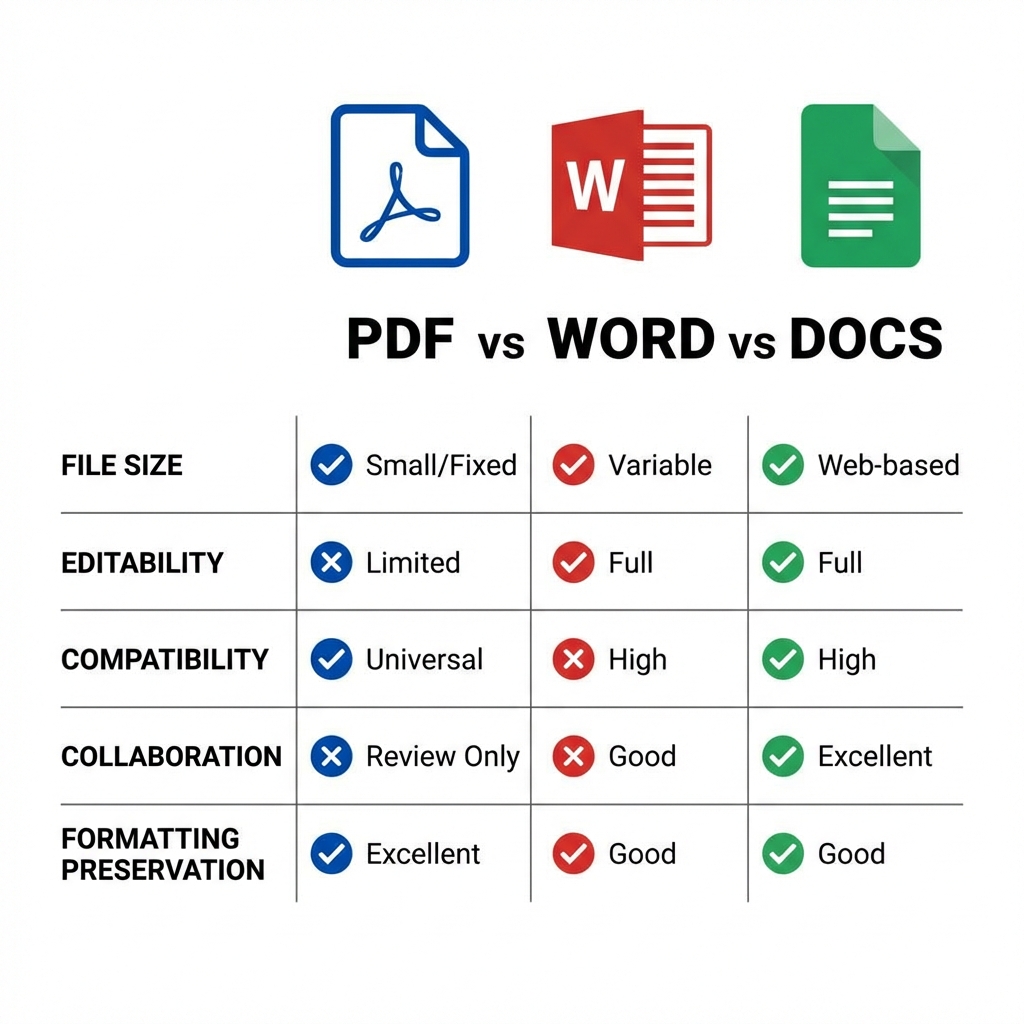
Quick Comparison
| Feature | Word | Google Docs | |
|---|---|---|---|
| Editing | Limited | Full | Full |
| Formatting | Preserved | Variable | Variable |
| File size | Fixed | Variable | Web-based |
| Compatibility | Universal | High | Needs internet |
| Collaboration | View only | Limited | Excellent |
When to Use PDF
- ✅ Final documents (contracts, reports)
- ✅ Documents that shouldn't be edited
- ✅ Printing and archiving
- ✅ Sharing with external parties
- ✅ Forms and applications
When to Use Word
- ✅ Documents needing extensive editing
- ✅ Templates with formatting
- ✅ Mail merge and automation
- ✅ Complex tables and layouts
- ✅ Offline work
When to Use Google Docs
- ✅ Real-time collaboration
- ✅ Team projects and drafts
- ✅ Quick sharing and comments
- ✅ Version history needed
- ✅ Access from any device
Conversion Options
| From | To | Tool |
|---|---|---|
| Word | PDF to Word | |
| Word | Word to PDF | |
| Google Docs | File → Download → PDF | |
| Google Docs | Upload to Drive, open with Docs |
Workflow Recommendations
- Draft: Google Docs or Word
- Review: Google Docs (for comments)
- Finalize: Word (for formatting)
- Share: PDF (for distribution)
- Archive: PDF (for preservation)
Security Comparison
| Aspect | Word | Google Docs | |
|---|---|---|---|
| Password protection | Yes | Yes | Limited |
| Encryption | AES-256 | Yes | Google servers |
| Edit prevention | Yes | Limited | Permissions |
FAQ
Which format is best for legal documents?
PDF is the standard for legal documents due to its fixed formatting and signature support.
Can I convert between all formats?
Yes! PDFMody supports conversion between all major document formats.
Conclusion
Choose the right format for each task: collaborate in Docs, edit in Word, and finalize in PDF!